
Figma landing page to HTML
Turn a Figma landing page into a website, without writing code
For designers, freelancers and founders who’ve finished the design and don’t want to wait on a developer. Upload the .fig, download the finished page, and put it online wherever you like.
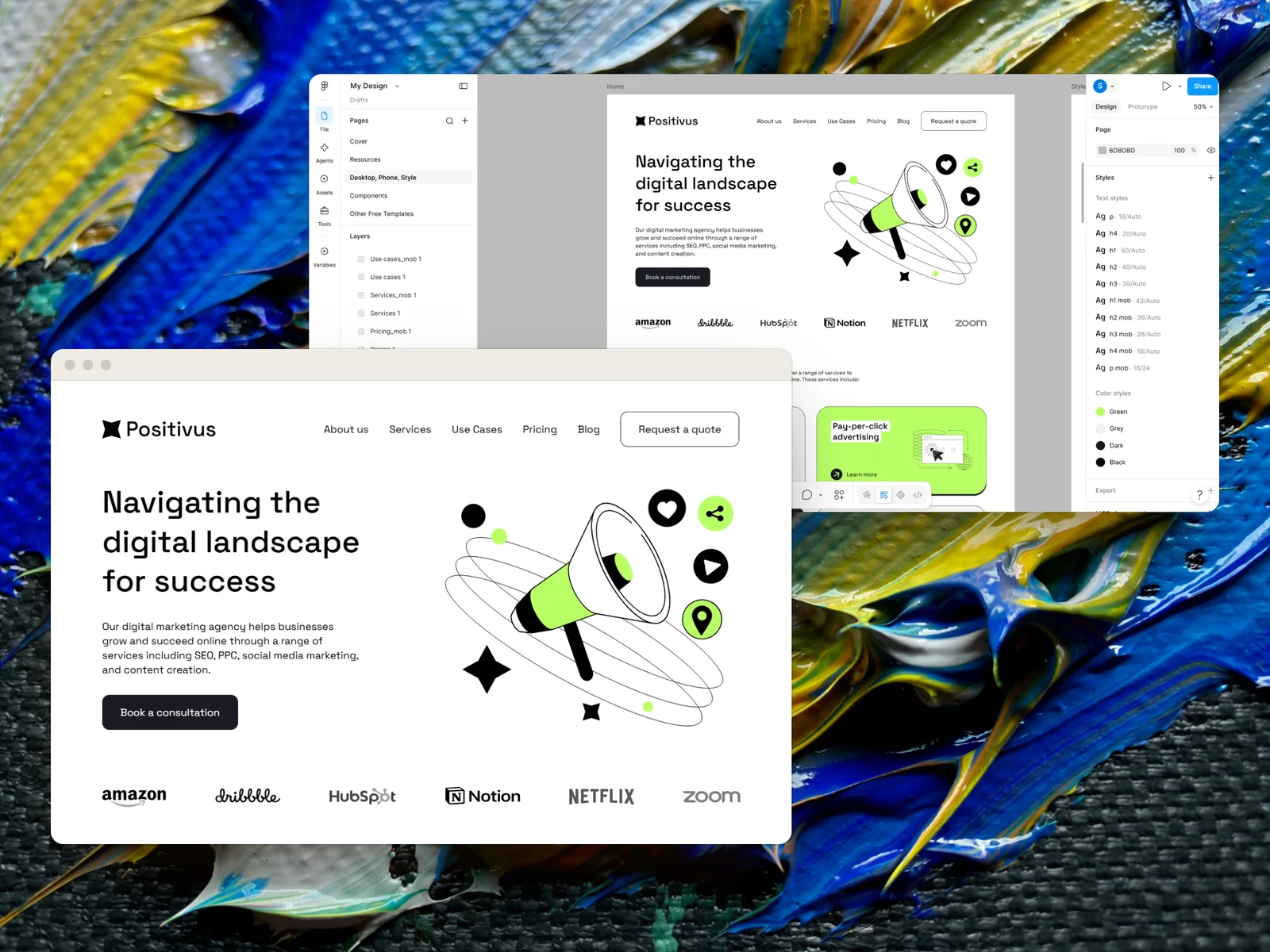
Hosting is a separate step. Weld gives you the finished page as files. You put them online wherever you like, and we show you how below.
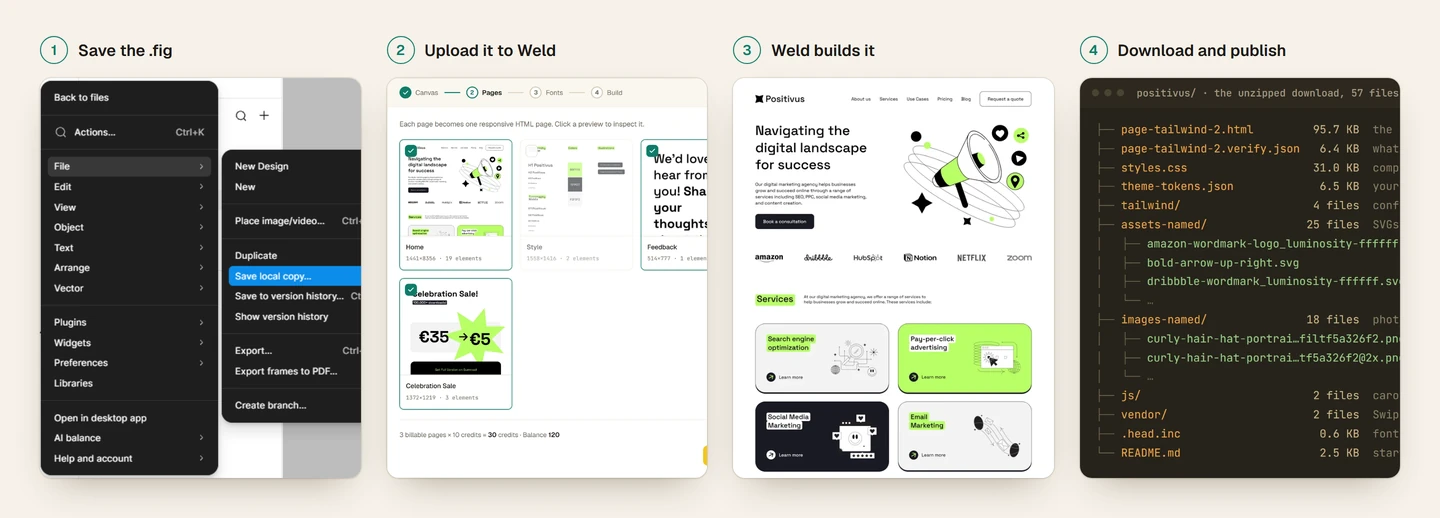
Positivus, from Figma file to web page
Positivus is a free landing page template on the Figma Community. Here’s the whole trip.
- 1
Save the .fig
Open the file in Figma and choose File → Save local copy.
- 2
Upload it to Weld
Weld finds the page frames and the fonts, and shows the cost before anything runs.
- 3
Weld builds it
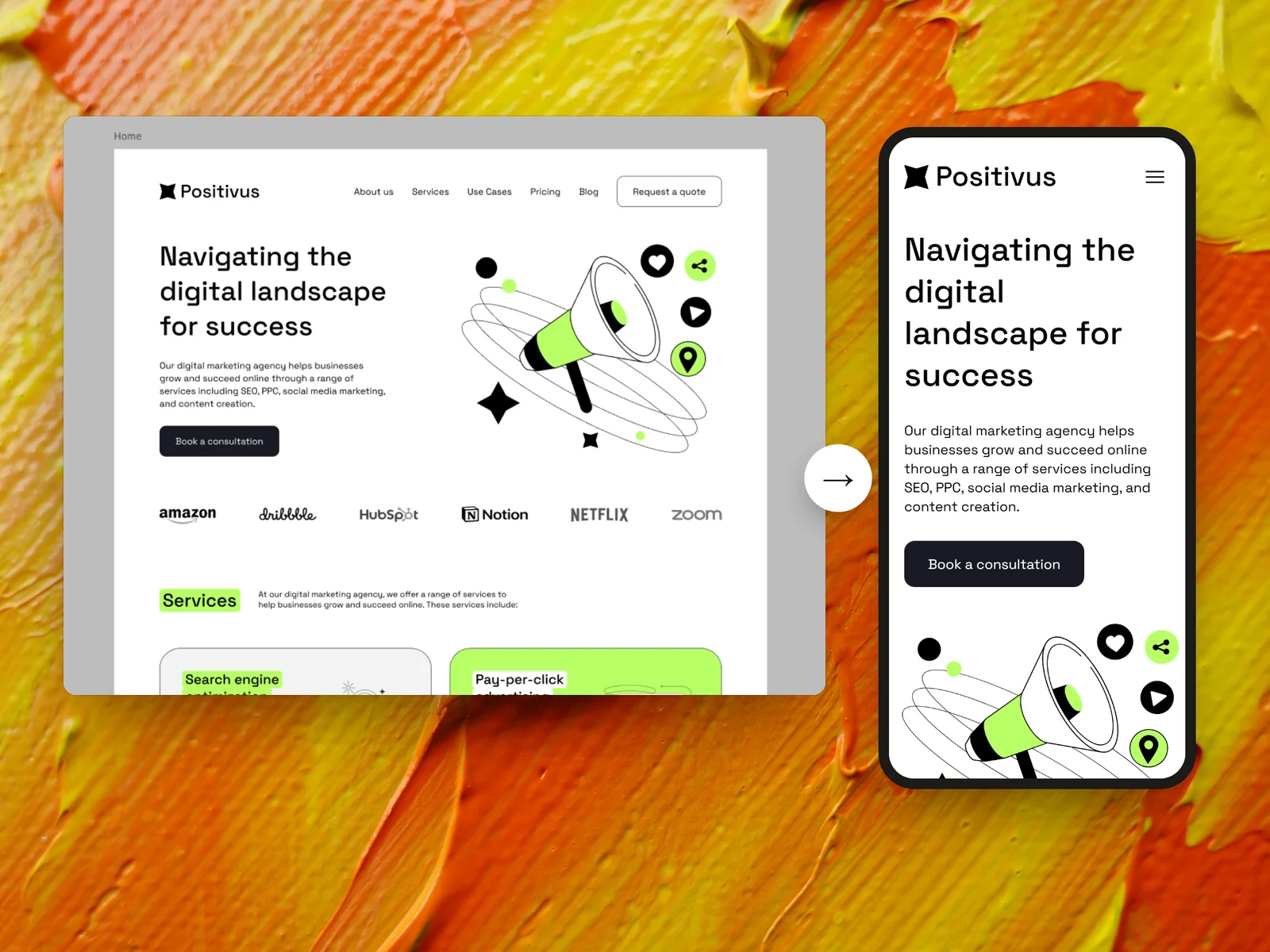
Section by section: layout, type, images, alt text and the phone layout.
- 4
Download and publish
A zip with the page, its stylesheet and every asset, ready for any web host.
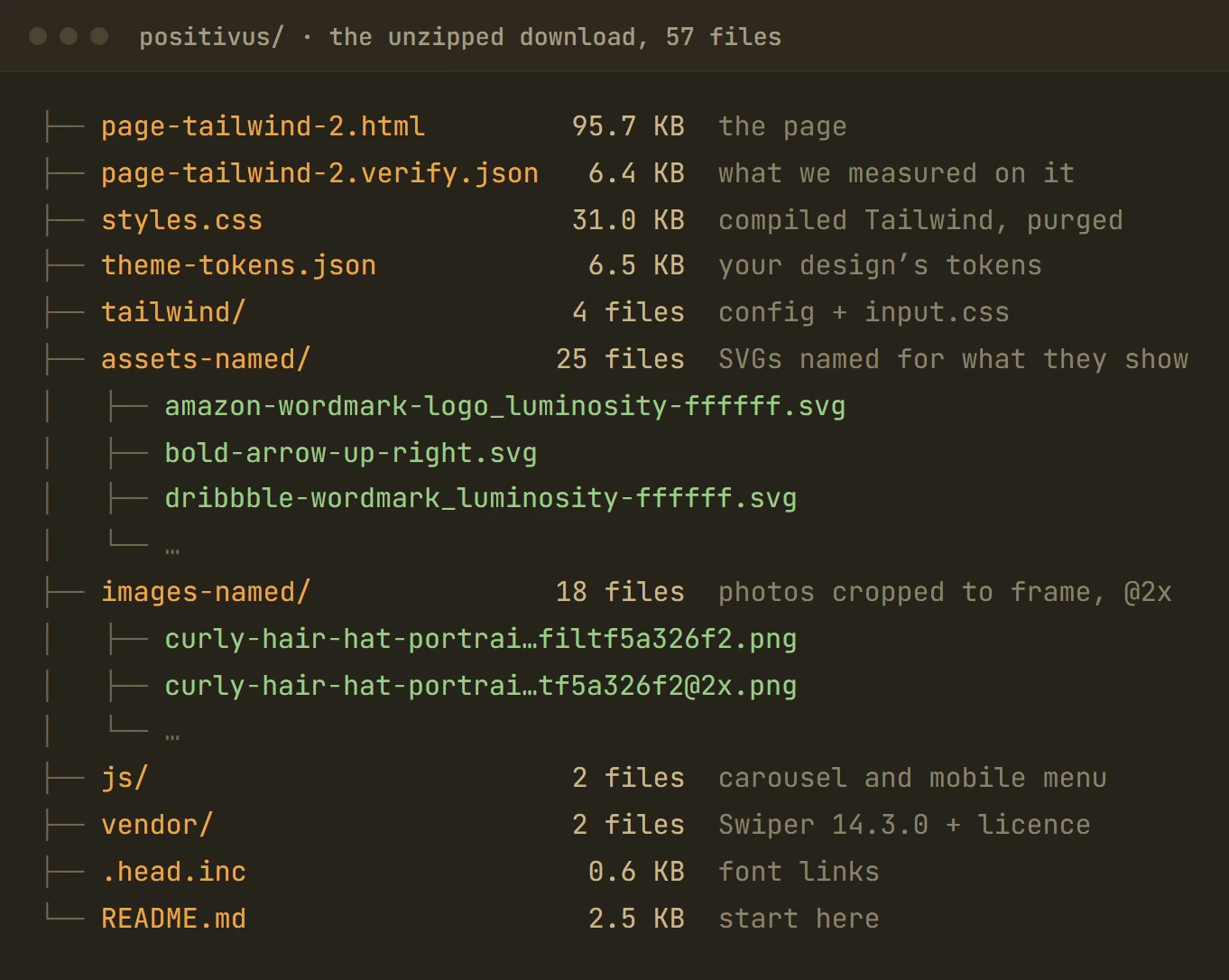
What you download
Everything the page needs to run, as plain files that are yours.
Exporting HTML isn’t the same as hosting a website
Weld gives you the finished page. Putting it online is a separate, usually small, step. A few common ways:
A drag-and-drop host
Static hosts such as Netlify Drop and Cloudflare Pages take the folder as it is and give you a web address in minutes.
Your existing web host
Any hosting account with FTP or a file manager can serve the folder: upload it to your site’s public folder.
Your own domain
Point your domain at whichever host you choose. Most hosts walk you through it.
WordPress theme export is on our roadmap. See what works with WordPress today.
Built for the person who designed it
Five minutes that make it convert better
The more clearly the file states what you meant, the less has to be guessed. The short version:
- One frame per page, at the width you designed.
- A mobile frame, if the phone layout matters to you.
- Auto layout for rows and stacks.
- Fonts that are available on the web.
- Hidden layers and old versions cleared out.
The full list, with the reasons: From Figma mockup to website: what to get right first.
What to expect
- Weld builds pages, not a site with a content management system. A contact form needs a form service or a developer to make it send.
- It reads a
.figfile, not a Figma link or a screenshot. - Well-structured Figma files convert best.
Questions
Do I need to know HTML to use the result?
No. Upload the folder to a host and it works. A little HTML helps if you want to change wording later, because the words are plain text in the file.
Can I change the page after it’s built?
Yes. It’s ordinary HTML, so any code editor, or a developer, can change it. For bigger changes, edit the Figma file and build the page again.
Does it work for a site with several pages?
Yes, page by page. Each frame you choose becomes its own page, and matched fonts and components carry over between them.
How much does it cost?
Beta pricing is per page, with no subscription. A desktop frame and its mobile frame count as one page. See pricing.
Keep reading
Put your landing page online
Weld is opening its beta soon. Register and we’ll email you once, when it opens. The questions are optional.