
Figma to Tailwind
Figma to Tailwind CSS, with classes you’d write yourself
Upload your Figma file (.fig) and get the page as real Tailwind utilities: a theme named from your Figma styles, mobile-first breakpoints and one compiled stylesheet. No plugin, and no wall of inline styles.
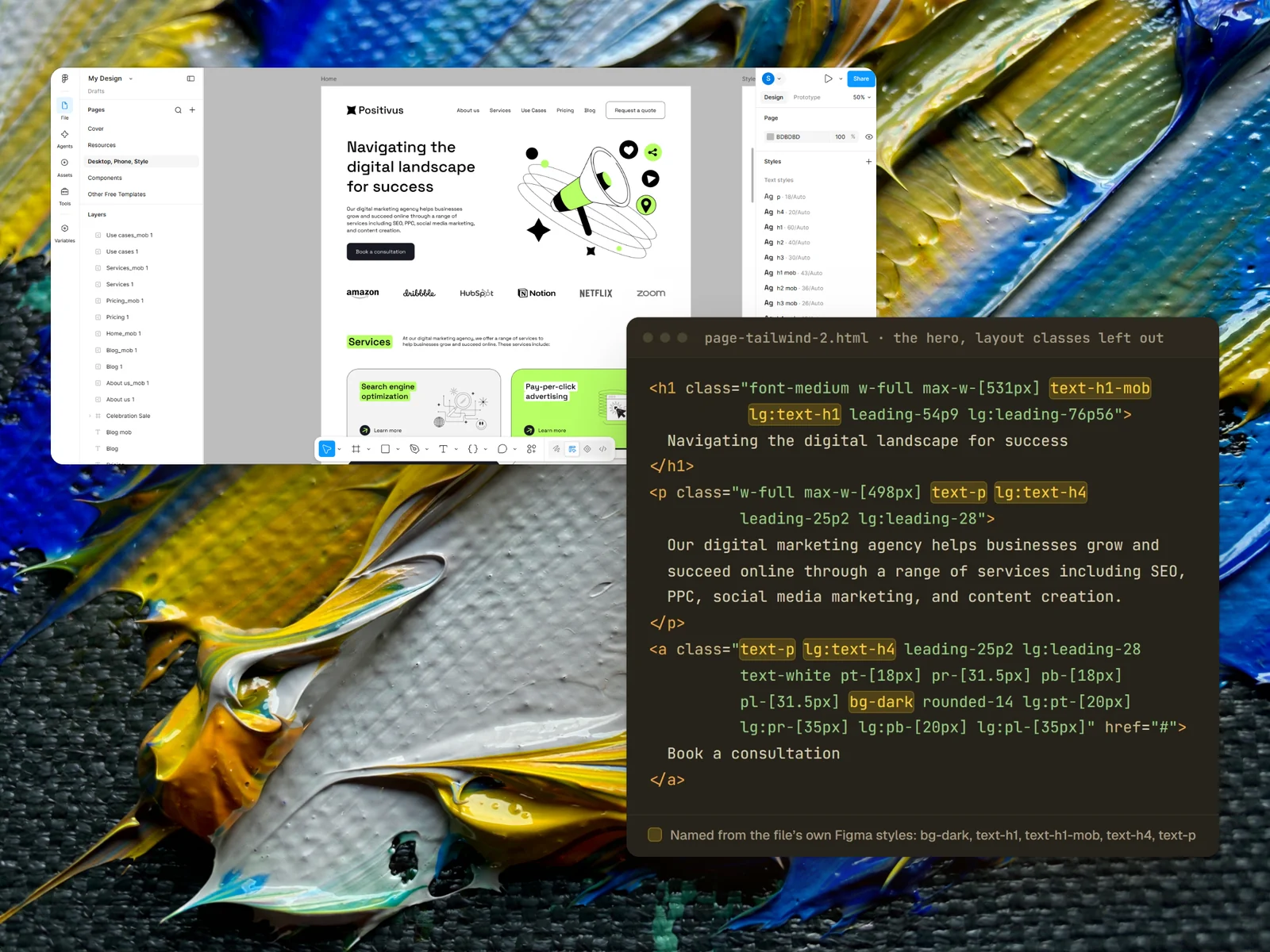
Real output. Every class shown on this page comes from Weld’s build of the free Positivus template. Open the full page.
This is what the code looks like
An excerpt from the hero of the Positivus page Weld built for our comparison. text-h1, font-space-grotesk and bg-dark are theme names taken from the design.
tailwind.config.js, taken from your Figma styles where they exist.lg: classes are desktop.<h1 class="font-space-grotesk font-medium text-black max-w-[531px] text-h2-mob lg:text-h1 leading-45p9 lg:leading-76p56"> Navigating the digital landscape for success </h1> <p class="font-space-grotesk font-normal text-black max-w-[498px] text-p-mob lg:text-h4 leading-22p4 lg:leading-28"> Our digital marketing agency helps businesses grow… </p> <button type="button" class="flex gap-[10px] pt-[16px] pr-[28px] pb-[16px] pl-[28px] bg-dark rounded-14 text-white lg:w-[264px]"> Book a consultation </button>
Abridged: some layout classes removed to fit. Open the full page.
Your design decisions, as Tailwind decisions
Auto layout becomes flexbox
A horizontal auto layout becomes flex, with your gap and padding carried across; a vertical one becomes flex-col.
Styles become a named theme
A value is given a name only when the name reproduces it exactly, so the theme never rounds your design.
Two frames become breakpoints
Your mobile frame is the base layout and your desktop frame the lg: layout. With no mobile frame, Weld writes the phone layout itself.
Hug and fill carry across
Buttons hug their labels and columns stretch with the page, the way you set them in Figma.
Mixed text stays mixed
A bold word mid-sentence comes out as an inline span, not a separate block.
Effects become CSS
Shadows, blurs, gradients and masks come across as CSS rather than flattened images.
Compiled, not a CDN script
The page links one purged styles.css, compiled from exactly the classes it uses. Open it in a browser and it renders: no build step, no runtime compiler, no Tailwind script.
tailwind/ folder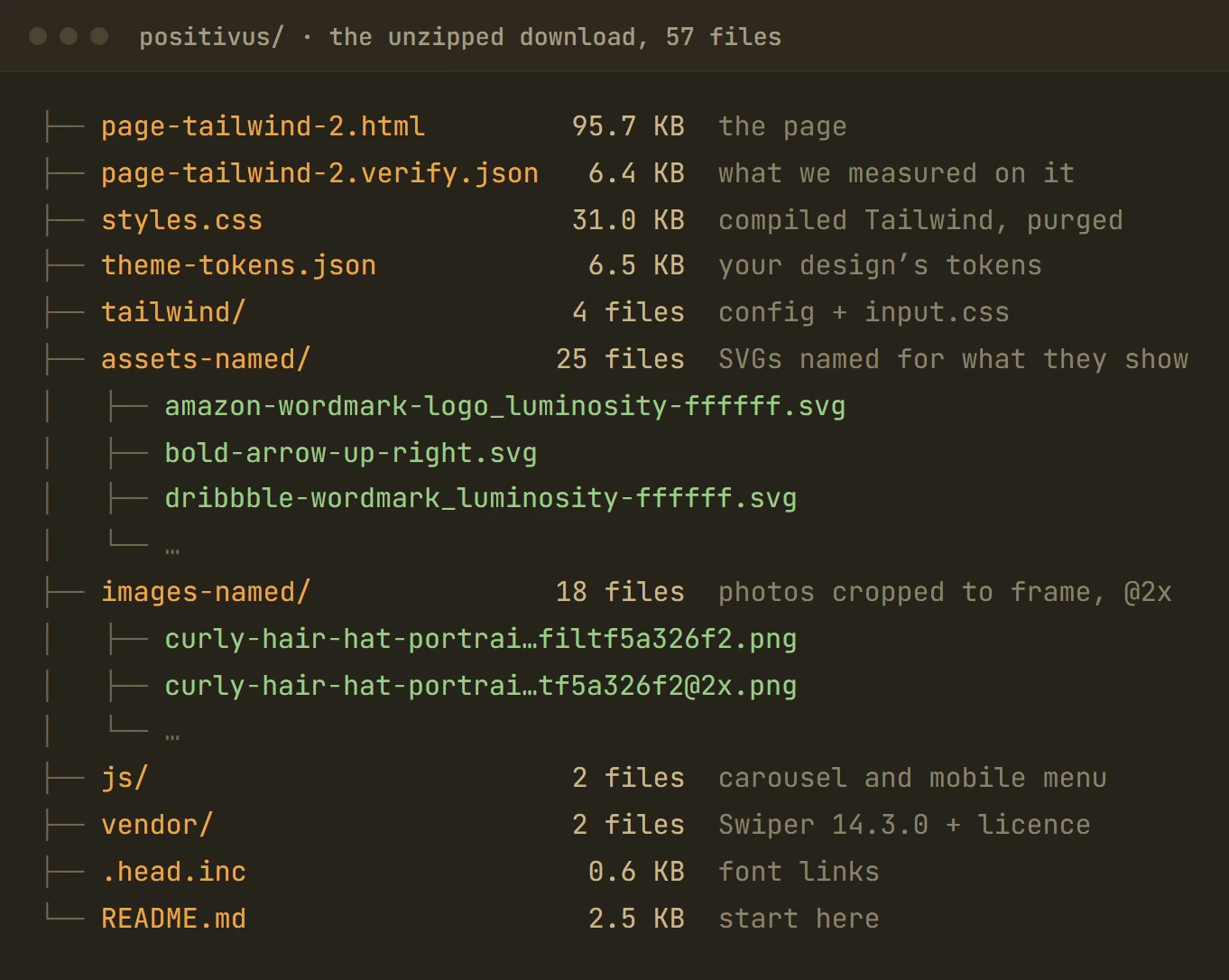
Your code from the first commit
Weld’s output is ordinary HTML with ordinary Tailwind classes. It opens in any editor and works with anything that understands Tailwind: paste a section into a React or Vue component, drop the page into a static site generator, or keep editing the HTML.
Classes use Tailwind’s own scale where the design lands on it, and an exact value in brackets where it doesn’t, so the page measures like the design instead of being rounded to the nearest preset.
What to expect
- Weld reads a
.figfile. It doesn’t work from a screenshot, a PDF or a Figma link. - Bracketed values such as
gap-[35px]appear wherever the design is off Tailwind’s scale. The code is exactly as tidy as the design’s spacing. - Weld builds static pages. Forms, content management and app logic are yours to wire up.
- Well-structured Figma files convert best. A file of loose layers still builds, with more of the layout inferred.
Questions
Which version of Tailwind does it use?
Tailwind CSS v3. The download includes the config and input CSS, so you can recompile with the Tailwind CLI if you change classes.
Do I need Node or a build step to use the page?
No. The page links a compiled styles.css and works as soon as you open it. You only need the Tailwind CLI if you change classes and want to recompile.
Can I use the output in React, Vue or Next.js?
Yes, as a starting point. The markup is plain HTML with Tailwind classes, so sections paste into components with the usual changes (className for class in React). Weld doesn’t write components or state for you.
Isn’t this what Figma’s Dev Mode does?
Dev Mode shows code for the layer you select, one layer at a time and without breakpoints. Weld builds the whole page: the layout between elements, both breakpoints, and the assets.
How does it compare with other Figma to code tools?
We ran the same Figma file through six tools and published every number. See the comparison.
Keep reading
Get your Figma file as Tailwind
Weld is opening its beta soon. Register and we’ll email you once, when it opens. The questions are optional.